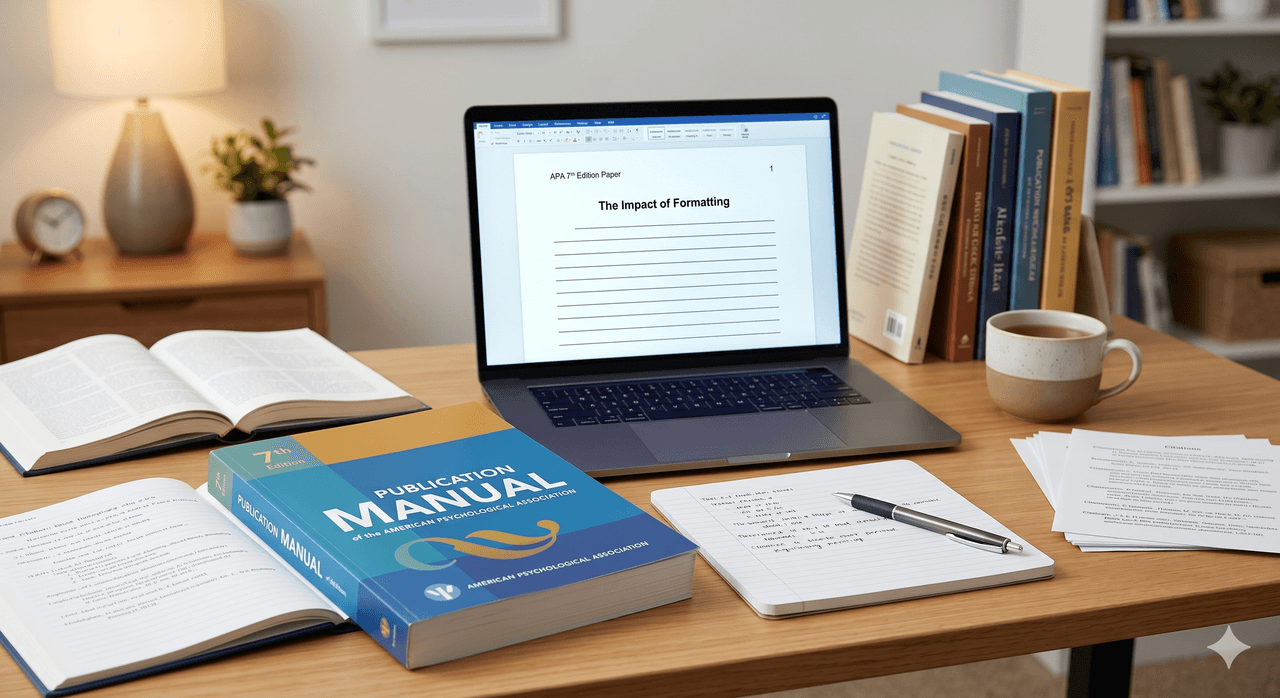
Mastering the rules of academic writing can feel overwhelming, but correctly formatting your paper is the most immediate way to establish scholarly credibility. The APA format guide for the 7th edition provides a universal standard for clear, concise, and professional communication in the social and behavioral sciences. Academic review boards note that proper formatting eliminates up to 30 percent of initial grading deductions, making it a critical skill for students and researchers alike.
Whether you are drafting your first undergraduate essay or submitting a manuscript for peer review, strictly adhering to the American Psychological Association guidelines ensures your arguments take center stage. This comprehensive guide breaks down the core elements of the 7th edition, from setting up your title page in Microsoft Word to perfectly executing complex in-text citations and reference lists. By following these standardized steps, you can avoid accidental plagiarism and present your research with absolute authority.
💡Key Takeaways
APA 7th edition standardizes title page, body, and references for social and behavioral sciences.
Use1-inch margins,double spacing, and one approved font consistently throughout.
In-text citations follow author–date format; three or more authors use et al.from the first citation.
Reference entries require hanging indents; AI tools need special citation and disclosure rules.
Understanding the Basics of APA 7th Edition
The 7th edition of the APA Publication Manual establishes the formatting standards for writing, citing, and structuring academic papers. Its primary goal is to ensure consistency, clarity, and ease of reading across all scholarly communications. Studies show that standardized formatting reduces cognitive load for readers, allowing professors and peer reviewers to focus entirely on your research methodology and arguments.
Unlike previous versions, the 7th edition places a heavy emphasis on accessibility and bias-free language. It officially endorses the use of the singular "they" and expands the list of acceptable fonts to accommodate readers with visual impairments. Every paper formatted in this style must include a title page, the main body text, and a comprehensive reference list.
Setting up your document format requires configuring your word processor to standard APA specifications before you begin typing. You must use one-inch margins on all sides of the page, apply double-spacing to all text including the reference list, and align your paragraphs to the left. Establishing these settings immediately prevents time-consuming formatting errors during the final editing phase.
You can choose from several accessible fonts. Approved sans serif fonts include 11-point Calibri, 11-point Arial, or 10-point Lucida Sans Unicode. Approved serif fonts include 12-point Times New Roman or 11-point Georgia. Whichever font you choose, you must use it consistently throughout the entire paper.
Creating the Student Title Page
The student title page serves as the official cover sheet for your academic paper. It must include the paper title, the author's name, the academic department and university, the course number and name, the instructor's name, and the assignment due date. The 7th edition explicitly removed the running head requirement for student papers, streamlining the document header to only include the page number.
Your paper's title should be bolded, centered, and positioned in the upper half of the page (usually three to four lines down from the top margin). Add one extra double-spaced blank line between the title and the author's name.
Structuring Headings and Subheadings
Headings in APA format use a five-level system to organize information chronologically and establish a clear hierarchy of importance. Level 1 headings are used for main sections, while Levels 2 through 5 represent increasingly specific subsections. Proper heading structure acts as an internal navigation system for your academic paper.
Heading Level | Formatting Rules |
|---|
Level 1 | Centered, Bold, Title Case Heading |
Level 2 | Flush Left, Bold, Title Case Heading |
Level 3 | Flush Left, Bold Italic, Title Case Heading |
Level 4 | Indented, Bold, Title Case Heading, Ending With a Period. |
Level 5 | Indented, Bold Italic, Title Case Heading, Ending With a Period. |
Mastering APA In-Text Citations
In-text citations point the reader directly to the full source information listed on your reference page. APA relies on an author-date citation system, meaning every citation must include the author's last name and the year of publication. Ensuring these match perfectly with your reference list is the most important factor in avoiding accidental plagiarism flags.
You can format these citations in two ways. Aparenthetical citationplaces both the author and date in parentheses at the end of the sentence (Smith, 2023). Anarrative citationintegrates the author's name into the text of your sentence, followed immediately by the year in parentheses, as in "Smith (2023) argued that..."
Single and Multiple Authors
Citing single and multiple authors changes depending on exactly how many people contributed to the source material. For works with one or two authors, you must include both names in every citation. For works with three or more authors, the 7th edition dictates that you only list the first author's name followed by "et al." from the very first citation.
For example, a paper by Taylor, Johnson, and Williams published in 2024 would be cited as (Taylor et al., 2024). This rule significantly reduces clutter in the main text of your document.
Direct Quotes vs Paraphrasing
When quoting a source directly, you must include the author, year, and the exact page number where the quotation can be found. Paraphrasing—where you summarize the author's ideas in your own words—only strictly requires the author and year, though providing a page number is highly encouraged for long texts.
Direct quotes under 40 words are incorporated seamlessly into the text using double quotation marks. If a quote exceeds 40 words, it must be formatted as a freestanding block quote. Start block quotes on a new line, indent the entire block 0.5 inches from the left margin, and do not use quotation marks.
Building Your Reference Page
The reference page is a comprehensive, alphabetized list of every source cited in the body of your paper. It begins on a new page after the text, with the word "References" bolded and centered at the top. This section provides readers with the exact information needed to locate and verify your research materials.
Every entry must use a hanging indent format. This means the first line of the citation aligns flush with the left margin, while all subsequent lines are indented by 0.5 inches. Word processors like Microsoft Word or Google Docs have built-in paragraph settings to apply this formatting automatically.
When a source has a DOI, format it as a URL:https://doi.org/10.xxxx/xxxxx
Books and Journal Articles
Journal articles and books require specific data points ordered consistently to meet APA standards. For a journal article, you need the author(s), publication year, article title, journal title (italicized), volume number (italicized), issue number, page range, and the DOI (Digital Object Identifier) formatted as a URL.
A standard journal citation looks like this:
Smith, J. A., & Doe, J. B. (2023). The impact of formatting.Journal of Academic Writing,15(2), 104–120. https://doi.org/10.xxxx/xxxxx
For a book, list the author, year, title (italicized), and the publisher name. The 7th edition no longer requires you to include the publisher's city or state.
Citing electronic sources requires identifying the specific author, date, page title, website name, and the exact URL. If a webpage lacks a named human author, look for a corporate or organizational author (like the World Health Organization). If no date is available, use the abbreviation (n.d.) in place of the year.
A standard website citation looks like this:
National Institute of Mental Health. (2024).Understanding academic anxiety. https://www.nimh.nih.gov/example-url
You do not need to include a retrieval date unless the webpage content is designed to change frequently, such as an online dictionary or dashboard.
How to Cite Artificial Intelligence in APA
Citing artificial intelligence tools like ChatGPT requires treating the software developer as the author and the AI model as the specific software version. Because AI conversations are not publicly retrievable by readers, APA guidelines mandate that you describe your prompt and the AI's output within your text, and then provide a specific reference list entry.
A reference entry for ChatGPT would look like this:
OpenAI. (2024). ChatGPT (Mar 14 version) [Large language model]. https://chat.openai.com/chat
Always check your specific university's honor code regarding the acceptable use of generative AI before including it in your research methodology.